Standalone Wi-Fi is suitable when there is one router or one MikroTik access point at the site. If there are several access points, it is better to consider CAPsMAN or a centralized controller.
What needs to be determined before configuration
- SSID name for the client;
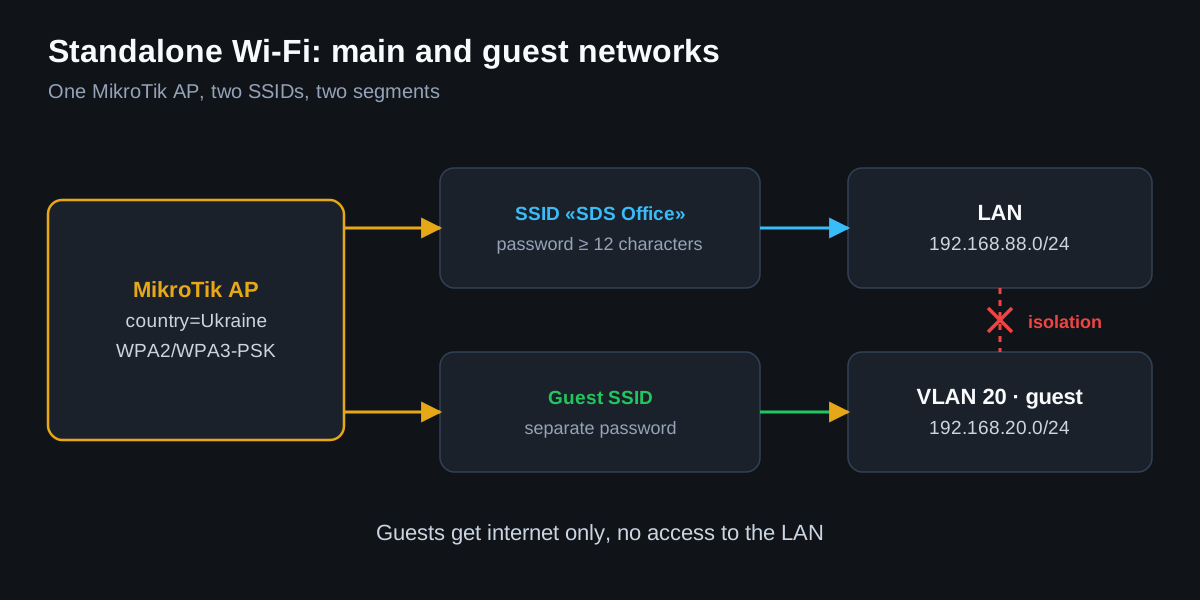
- separate guest SSID or not;
- password of at least 12 characters;
- country, to avoid violating frequency restrictions;
- VLAN for guest/CCTV/IoT, if segments are separated.
RouterOS 7 WiFi stack: approximate example
/interface wifi security add name=sec-main authentication-types=wpa2-psk,wpa3-psk passphrase="StrongPasswordHere"
/interface wifi configuration add name=cfg-main country=Ukraine ssid="SDS Office" security=sec-main
/interface wifi set [find default-name=wifi1] configuration=cfg-main disabled=no
/interface wifi registration-table print
Legacy wireless in ROS 6/older devices
/interface wireless security-profiles add name=sec-main authentication-types=wpa2-psk mode=dynamic-keys wpa2-pre-shared-key="StrongPasswordHere"
/interface wireless set wlan1 mode=ap-bridge ssid="SDS Office" security-profile=sec-main country=ukraine disabled=no
/interface wireless registration-table print
Verification after launch
/interface wifi print detail
/interface wireless print detail
/interface wifi registration-table print
/interface wireless registration-table print
/log print where topics~"wireless|wifi"
Common mistakes
- leaving a weak password or the same password for guest and main;
- setting maximum power and getting poor roaming;
- not binding guest SSID to a VLAN;
- mixing ROS 6 wireless and ROS 7 wifi commands.
If the client has a business facility, guest Wi-Fi should almost always be in a separate VLAN with isolation from the LAN.