QoS is needed when the internet channel is limited or there is traffic with different priorities on the object: VoIP, POS systems, video surveillance, guest Wi-Fi, office PCs.
When simple queue is sufficient
- limit a single client or subnet;
- give guest Wi-Fi less speed;
- create simple limits for departments;
- complex firewall mangle classification is not required.
Example: limit guest VLAN
/queue simple add name="guest-limit" target=192.168.20.0/24 max-limit=20M/100M comment="Guest Wi-Fi limit"Example: limit for a specific client
/queue simple add name="camera-uplink-limit" target=192.168.30.10/32 max-limit=5M/20M comment="NVR uplink limit"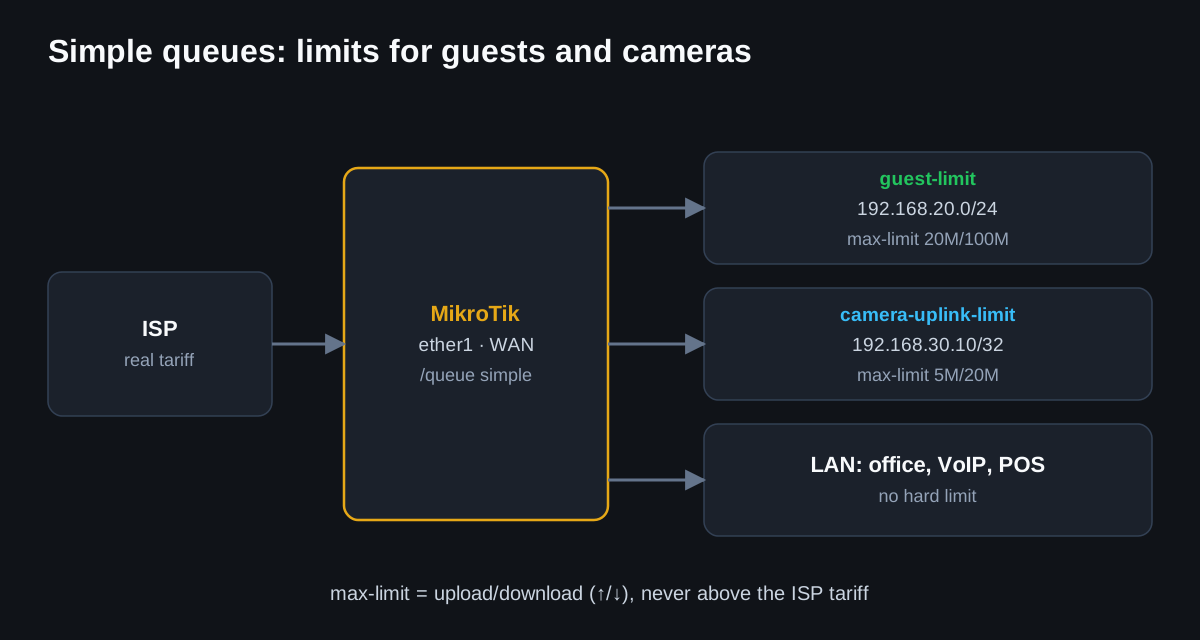
Verification
/queue simple print stats
/interface monitor-traffic ether1
/tool profile
Common mistakes
- setting max-limit higher than the actual provider's tariff;
- limiting the entire LAN instead of guest VLAN;
- duplicating queues on one IP and getting an unpredictable result;
- attempting queue tree without proper mangle marks.
For a typical small object, start with simple queues. Use queue tree only when the packet flow logic is understood and there is a requirement for complex priorities.