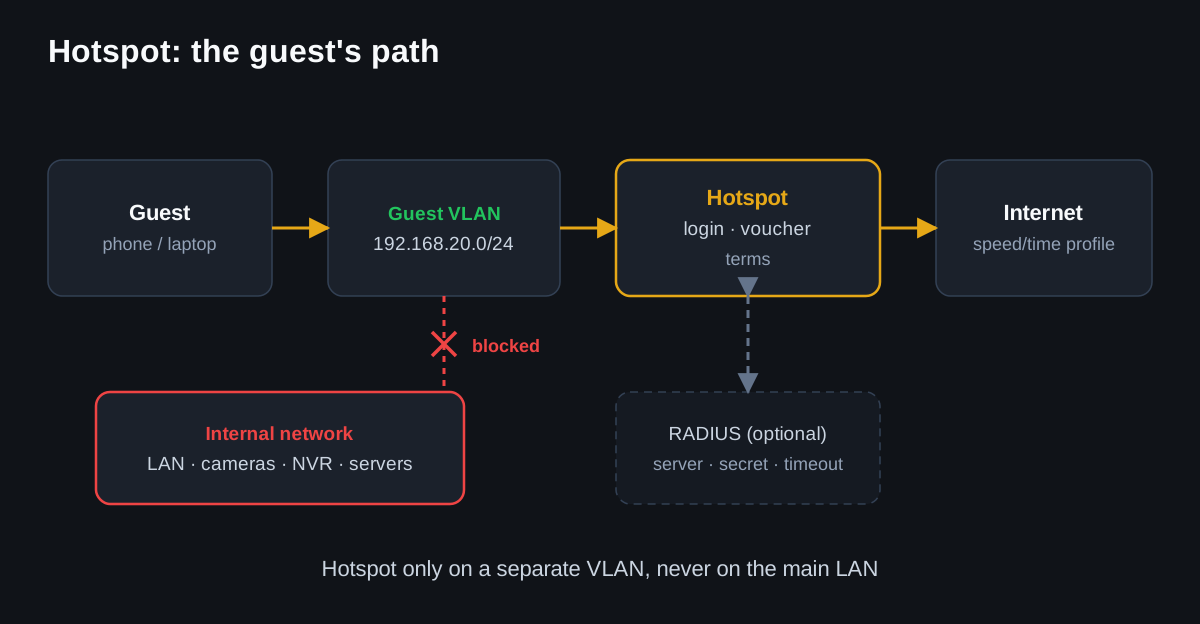
A Hotspot is not needed for home Wi-Fi, but for managed guest access: cafes, hotels, offices, showrooms, public areas. It is best to run it on a separate VLAN/interface.
Before launch
- create a guest VLAN or a separate bridge/interface;
- isolate guests from LAN, cameras, NVR, and servers;
- define speed/time profiles;
- prepare terms/privacy text;
- for SMS, an external gateway or integration is required — RouterOS itself is not an SMS platform.
Basic wizard launch via console
/ip hotspot setupThe wizard will ask for interface, address pool, DNS name, certificate, and user. For production, after the wizard, be sure to check the firewall, NAT, and isolation.
Verification
/ip hotspot print
/ip hotspot active print
/ip hotspot user print
/ip hotspot profile print
/log print where topics~"hotspot"
RADIUS
If authorization is to go through an external system, use RADIUS. In this case, be sure to document the server, secret, timeout, and fallback scenario.
Common mistakes
- enabling Hotspot on the main LAN;
- not restricting guests to internal addresses;
- promising SMS without an external SMS provider;
- forgetting to test the captive portal on iOS/Android/Windows.