CAPsMAN is needed when there are multiple MikroTik APs at a site and centralized management of SSID, security, channels, and provisioning is required. For a single router, CAPsMAN is usually redundant.
Planning
- define the controller: a separate router or one of the APs;
- prepare a management VLAN or trusted LAN for APs;
- distribute 2.4 GHz channels: 1/6/11;
- do not set maximum power without a radio survey;
- place guest SSID in a separate VLAN.
Conceptual Diagram
Router / Controller
  ├─ CAP AP 1: lobby
  ├─ CAP AP 2: office
  └─ CAP AP 3: warehouse

SSID main  → LAN VLAN
SSID guest → Guest VLAN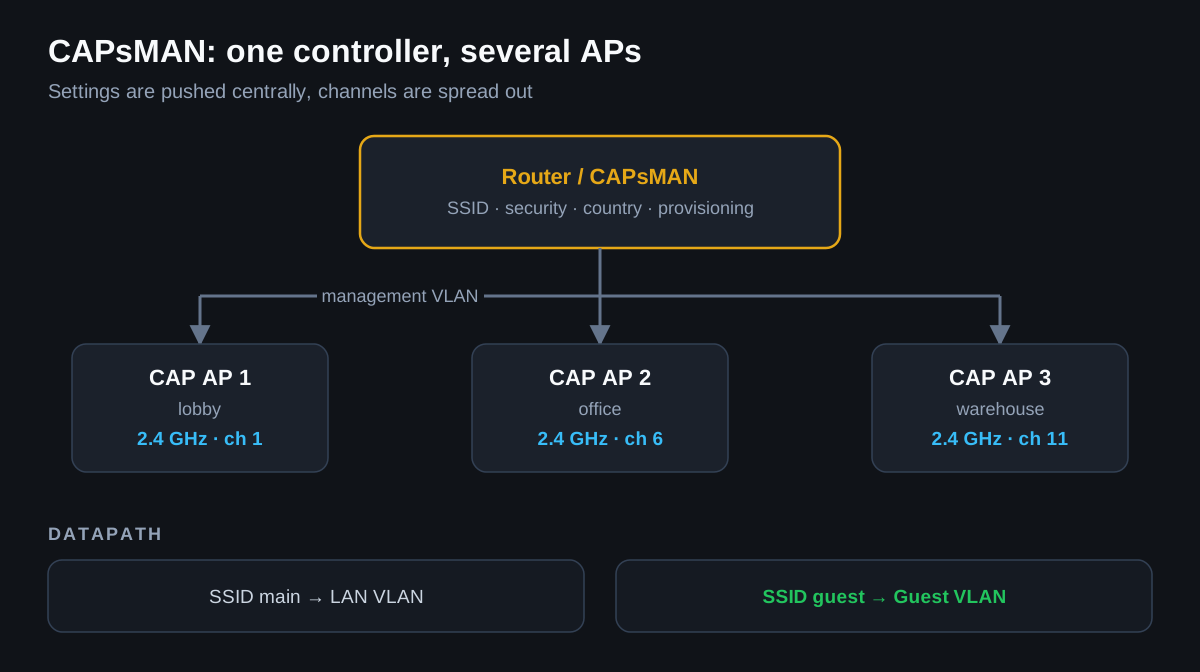
CAPsMAN Verification
/caps-man manager print
/caps-man remote-cap print
/caps-man registration-table print
/log print where topics~"caps"
What to check in Winbox
- CAPsMAN → Manager: controller is enabled.
- CAPsMAN → Configurations: SSID, country, security, datapath.
- CAPsMAN → Provisioning: rules for AP connection.
- CAPsMAN → Registration Table: clients are actually connecting to the expected APs.
Common Mistakes
- setting all APs to the same channel;
- not setting the country;
- creating a guest SSID without VLAN/isolation;
- expecting roaming only from CAPsMAN: the decision to roam is often made by the client device.
For hotels, offices, and warehouses, Wi-Fi should be checked not only for connection but also for actual speed/roaming at real points of use.