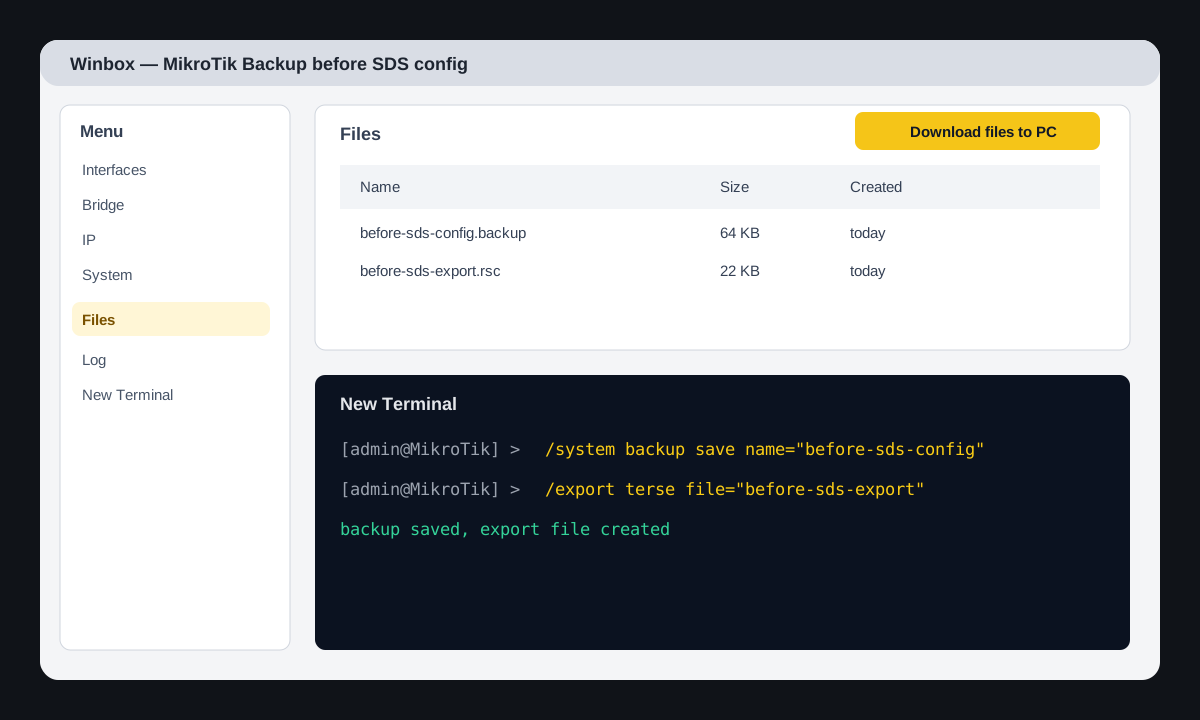
Before any MikroTik configuration change, you need to have two files: binary backup for quick recovery and readable export for configuration audit. This is the minimum SDS standard before working on site.
When to do this
- before changing WAN, firewall, bridge, VLAN, DHCP, or VPN;
- before inserting a generated .rsc script;
- before updating RouterOS or packages;
- before transferring equipment to the client for warranty.
Via Winbox
- Connect to the router via Winbox from the local network or a service VPN.
- In the top panel, click Safe Mode. If you lose access after changes, RouterOS will automatically revert unsaved changes after the session disconnects.
- Open New Terminal.
- Execute the backup/export commands below.
- Open Files and drag the backup/export files to the engineer's laptop.
Via RouterOS console
/system backup save name="before-sds-config"
/export terse file="before-sds-export"
/file print where name~"before-sds"
What the files mean
before-sds-config.backup— binary backup. Suitable for full recovery on the same or a compatible device.before-sds-export.rsc— text export. It can be read, compared, attached to a task, or analyzed manually.
Verification after saving
/file print
/system resource print
/system package print
For a warranty case, save the backup, export, serial number, MAC, model, date of work, and engineer's full name in the object or equipment card.
Rollback if something went wrong
/system backup load name="before-sds-config"
/system reboot
Use rollback via backup only if the configuration broke access or critical services. If the error is local, it's better to fix the specific rule/interface and not lose the change log.